What Barters Is
Trade what you’re good at. Get what you need. No cash required.
Use the platform when your company needs help from another startup, wants to trade capabilities instead of cash, or wants warmer referral and community workflows than a public board can provide.
How It Works
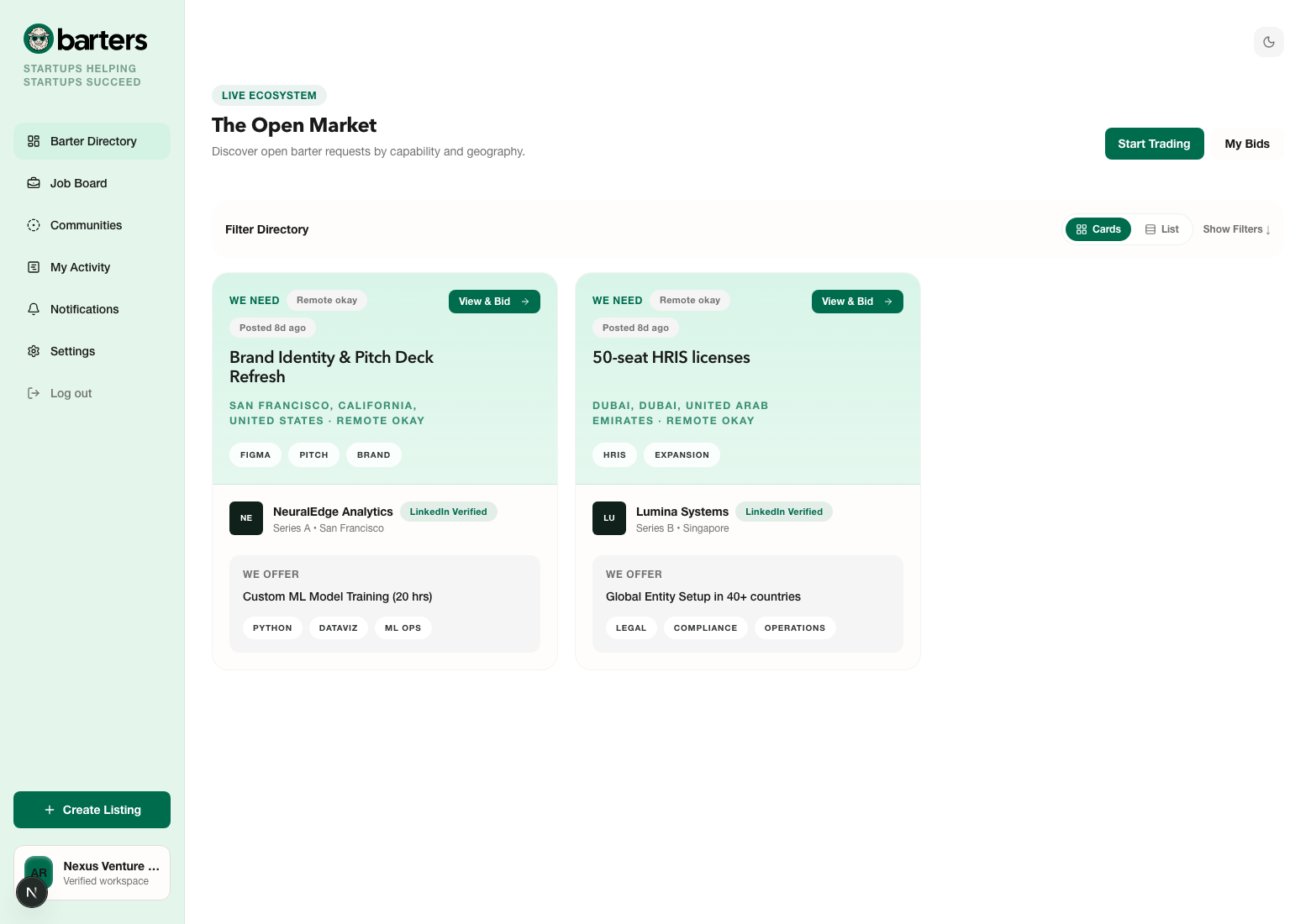
- 1Barters is built for startups helping startups succeed through barter requests, talent referrals, and community-based visibility.
- 2You can use it to trade capabilities, request work from trusted peers, post open roles, and unlock high-intent introductions without relying on broad public marketplaces.
- 3Your workspace becomes the operating layer for your company, so listings, bids, referrals, communities, billing, and notifications all stay tied to the same team context.
User Tip
Use Barters when you want trusted startup-to-startup outcomes. It is strongest when the request is clear, urgent, and easy for another startup to assess quickly.
What Happens Next
Once your workspace exists, you use the same account to move between barter requests, job referrals, communities, billing, and your ongoing activity queues.
Getting Started
Onboarding turns a new user account into a usable company workspace.
Every new company goes through onboarding once. It is also where invited teammates get attached to the correct workspace and role.
How It Works
- 1Create an account with your work email and company name, or use the same email address your teammate invited into the workspace.
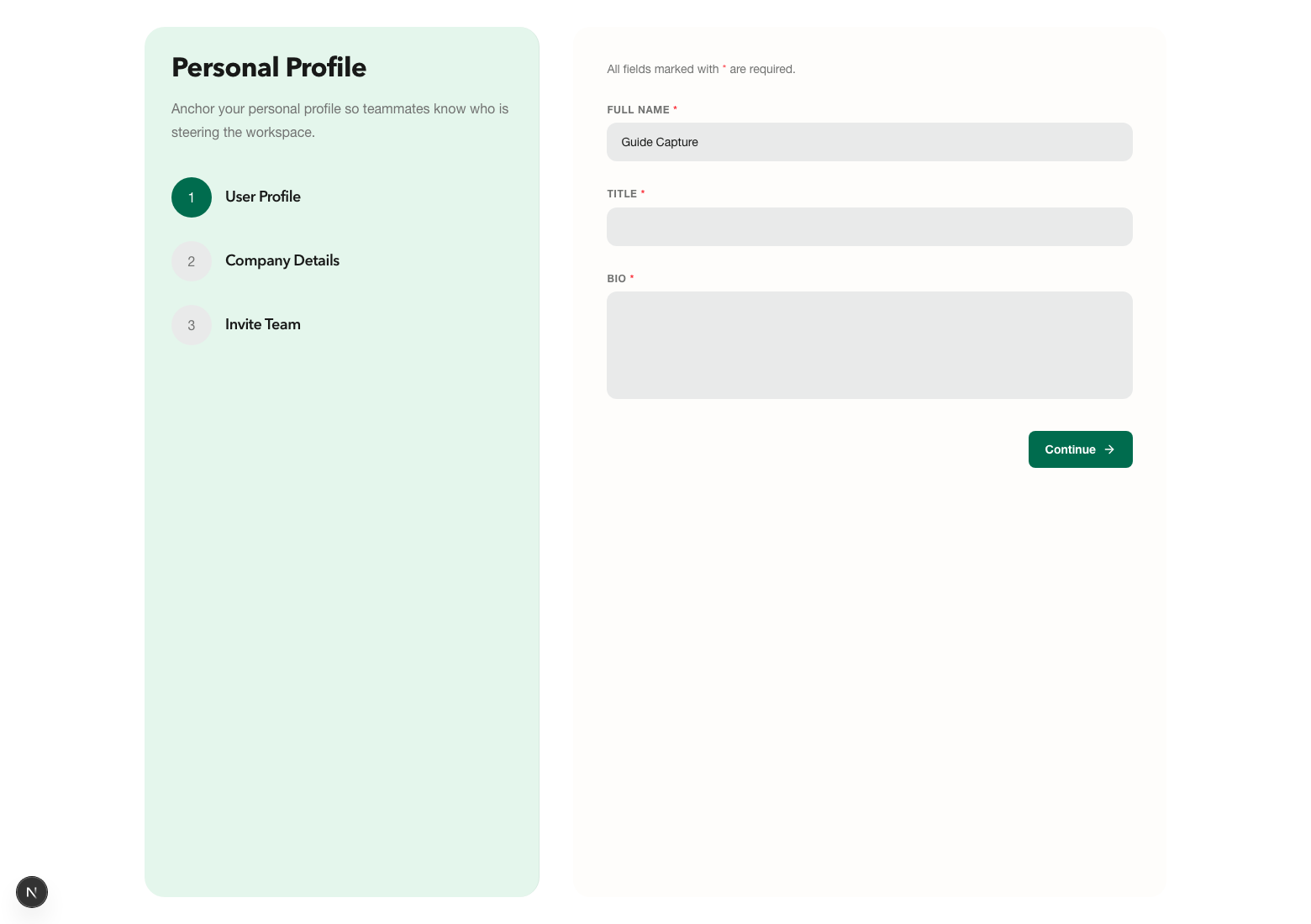
- 2Complete your personal profile so counterparties know who is leading the conversation and what role you play inside the company.
- 3Add your company profile with industry, funding stage, location, LinkedIn, website, and a short description. This information shows up throughout the product and shapes trust cues for other teams.
- 4Invite teammates if you want shared access for operators, recruiters, or finance leads. You can also finish onboarding first and invite them later.
User Tip
Treat onboarding as your first trust pass. A complete company profile makes your listings easier to understand and your bids more credible.
What Happens Next
After onboarding, you land in the live marketplace and can start posting, browsing, or inviting teammates into the same workspace.
Posting A Barter Need
Barter requests are how your company asks for help and frames the exchange.
Use a barter listing when you need another startup’s expertise, product access, or operator support and you are willing to exchange your own capability in return.
How It Works
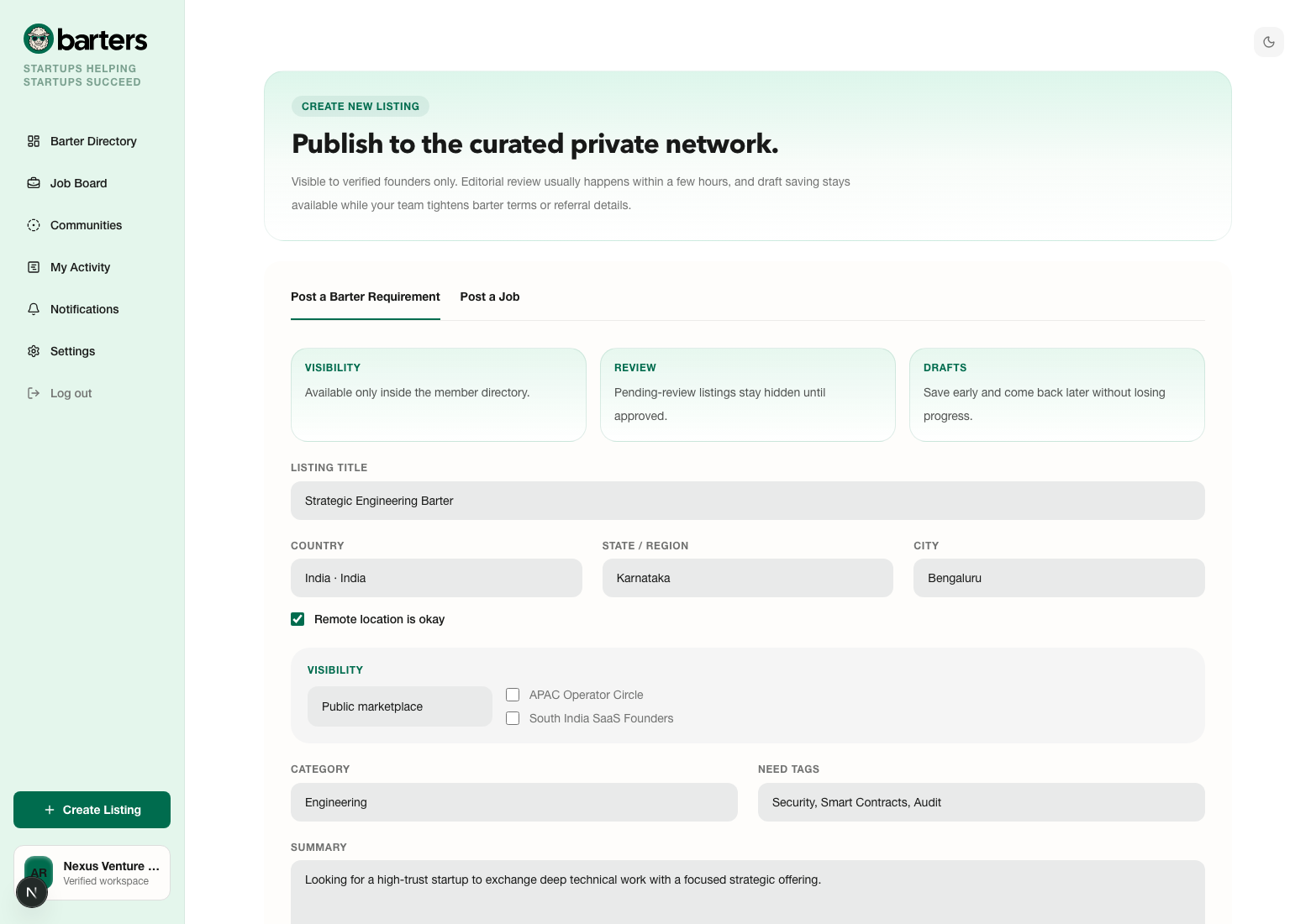
- 1Open Create Listing and choose the barter workflow.
- 2Write a clear listing title, summary, what you need, and what you can offer in return. Use tags to make the match legible at a glance.
- 3Choose the structured location and whether remote delivery is okay. This helps counterparties decide quickly if the exchange is practical.
- 4Choose visibility. Public marketplace listings reach the broader network, while community-restricted listings stay visible only inside the communities your company belongs to.
- 5Save a draft if you are still shaping the exchange, or submit it for review when it is ready to go live.
User Tip
Post a barter when you can describe both sides of the trade crisply. Strong barter requests tell the other company exactly what success looks like and what they get back.
What Happens Next
Once the request is submitted, it appears in your postings and activity surfaces. If it is published, other eligible companies can review it and send bids.
Reviewing Requests And Sending A Bid
Bids are the team-to-team response layer on open barter requests.
Use this flow when another company’s request aligns with what your team can deliver and you want to propose your side of the trade.
How It Works
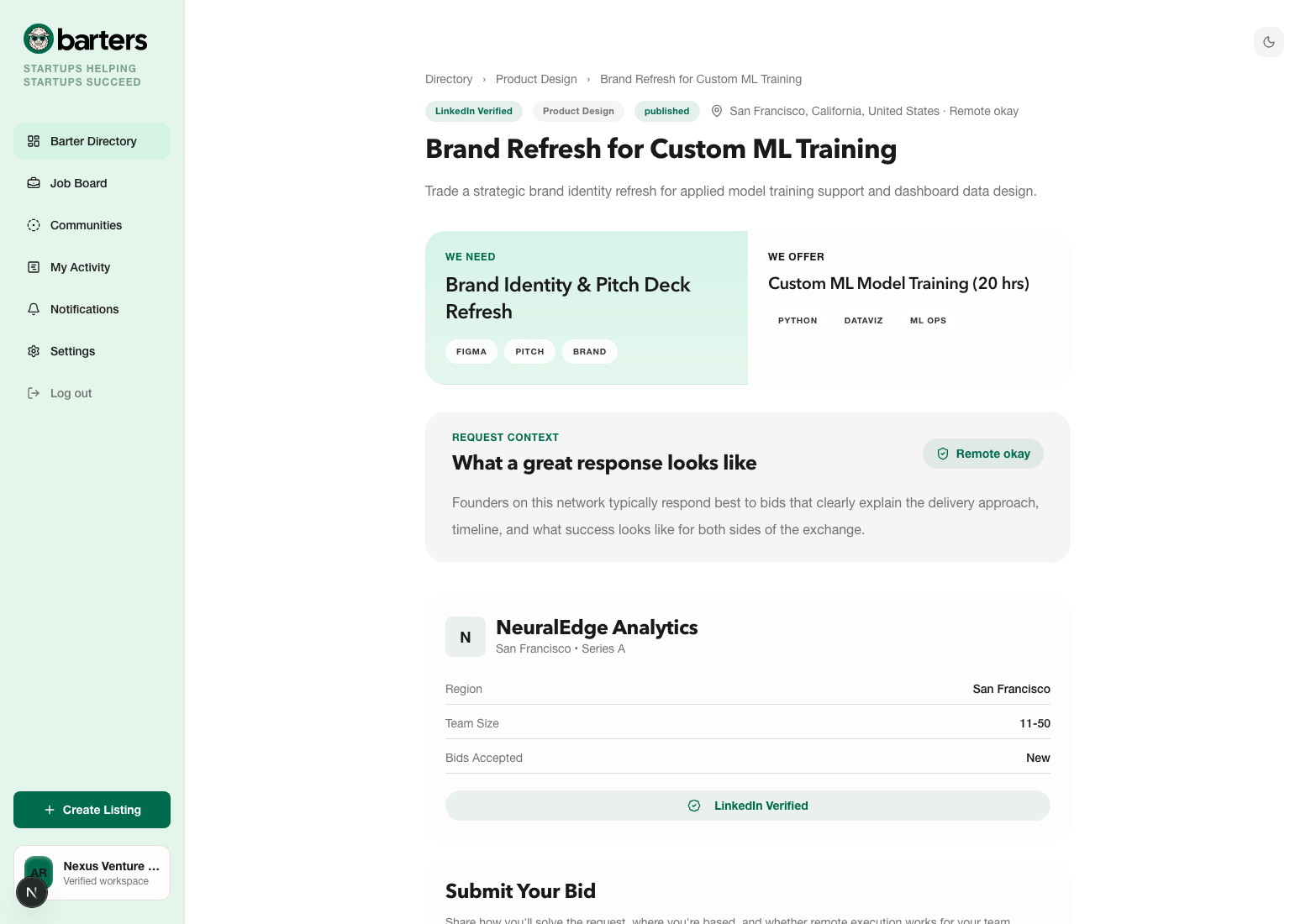
- 1Browse the barter directory and open requests that match your team’s capabilities or strategic priorities.
- 2Review the summary, location, trust signals, offer, need tags, and any community context before deciding whether to respond.
- 3If the request belongs to another company and is still open, submit a bid with a clear pitch, your location details, and any note that affects delivery or overlap.
- 4Track the bid status from My Activity. Pending means the other company has not decided yet; accepted unlocks the connection flow; declined closes that path while leaving the request itself open for others.
User Tip
The best bids are short, specific, and operational. Show that you understood the request, explain why your team fits, and make the next step obvious.
What Happens Next
After you submit a bid, the request owner sees it in their activity queue. If they accept it, contact access unlocks through the existing connection workflow.
Posting A Job
Jobs turn Barters into a trusted referral network, not just a barter marketplace.
Use a job listing when your company is hiring and you want partner companies to send high-trust referrals instead of broad inbound applications.
How It Works
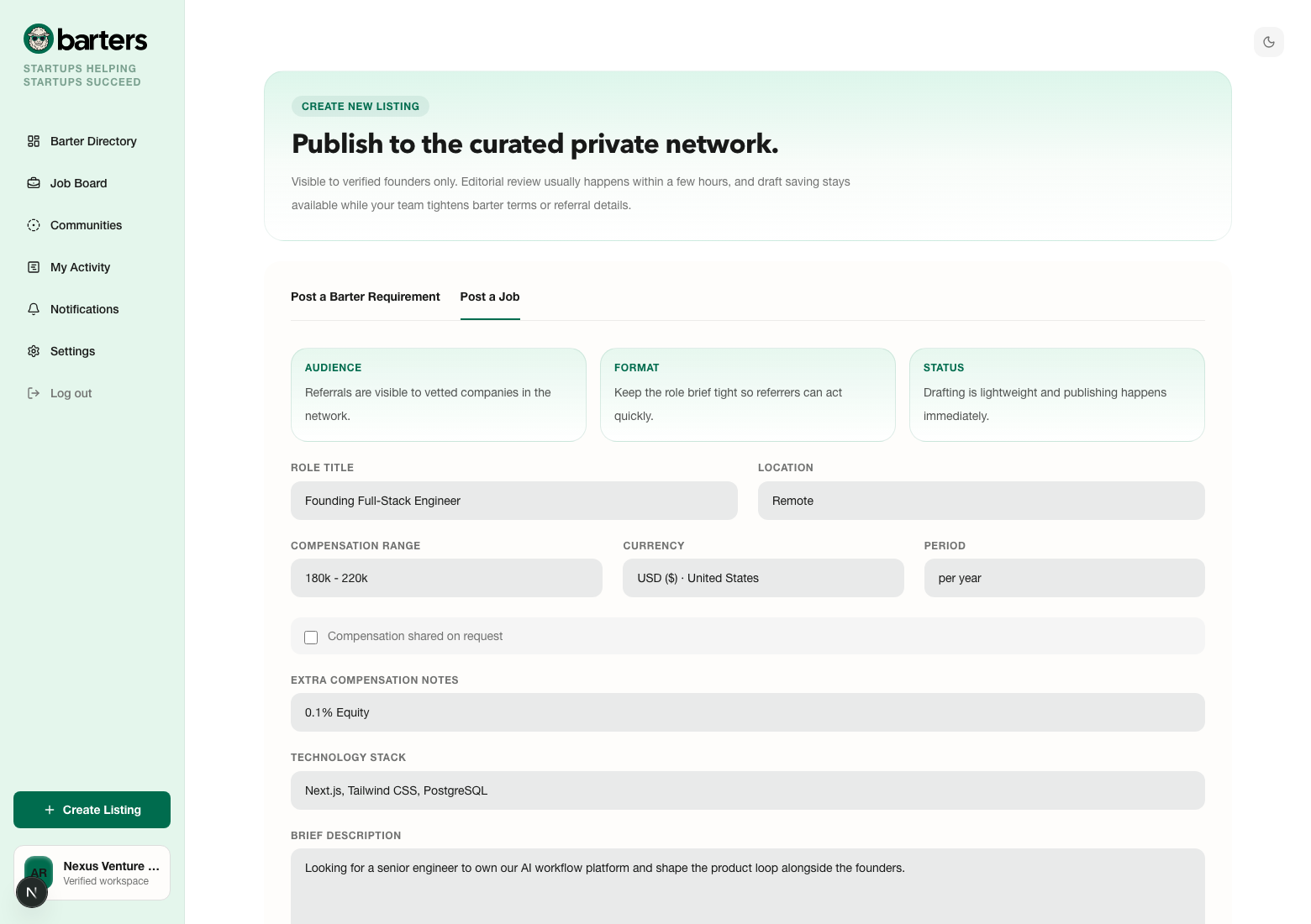
- 1Choose the job workflow from Create Listing.
- 2Add the role title, location, stack or focus area, summary, compensation structure, and referral-credit terms so other companies know what kind of intro you want.
- 3Decide whether the role should be visible publicly across the network or only inside selected communities your company belongs to.
- 4Publish the role once it is clear enough for another user or operator to confidently refer someone into it.
- 5If you are the hiring company, watch My Activity and notifications for new referrals, then move each candidate through reviewing, interviewing, hired, or rejected states so referrers have a clear loop.
User Tip
Post a job when you want referred candidates and trusted warm intros. If you mainly need a scoped deliverable instead of a hire, the barter flow is usually the better fit.
What Happens Next
Published jobs appear in the job board and start receiving referrals from eligible companies. You then manage those referrals from the job detail and activity views.
Sending A Referral
Referrals are structured introductions between companies, not loose candidate drops.
Use the referral flow when you know a candidate who fits a partner company’s role and you want the hiring team to receive a higher-context, consented introduction.
How It Works
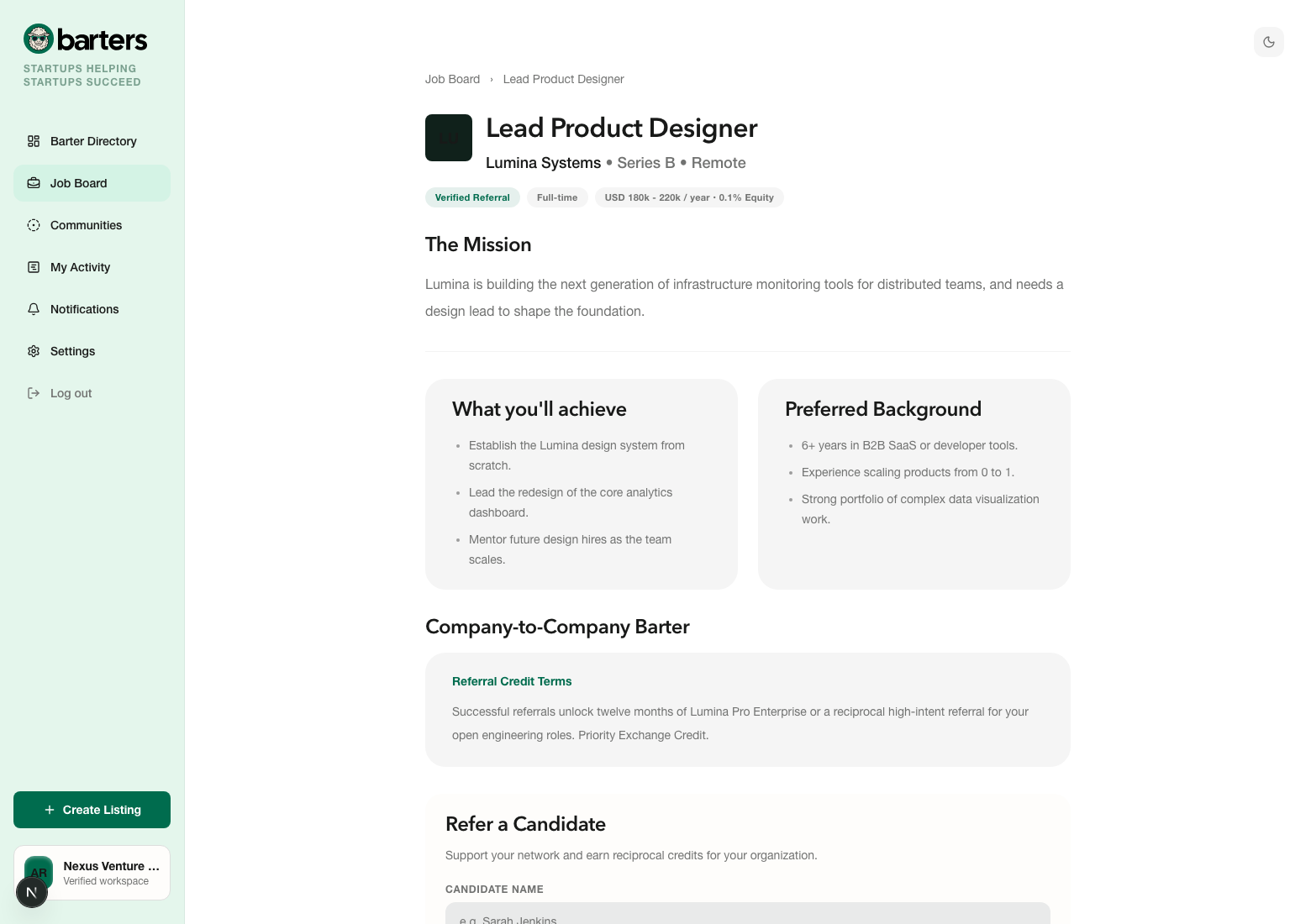
- 1Open a job listing that belongs to another company and read the role summary, mission, background, compensation, and referral-credit terms.
- 2Submit the candidate’s name, LinkedIn profile, fit summary, and consent confirmation. If a resume is part of the workflow, the file stays private to the hiring company and platform-authorized access paths.
- 3After submission, monitor the referral from My Activity. You can see the status changes and any visible responses from the hiring company.
User Tip
Referrals work best when the fit summary explains why the candidate is relevant to this exact role, not just why they are generally strong.
What Happens Next
Once submitted, the hiring company can move the referral through reviewing, interviewing, hired, or rejected states and can send visible replies back through the thread.
Communities
Communities let you trade reach for relevance.
Use communities when you want your listings seen by a tighter startup or operator circle than the full public network.
How It Works
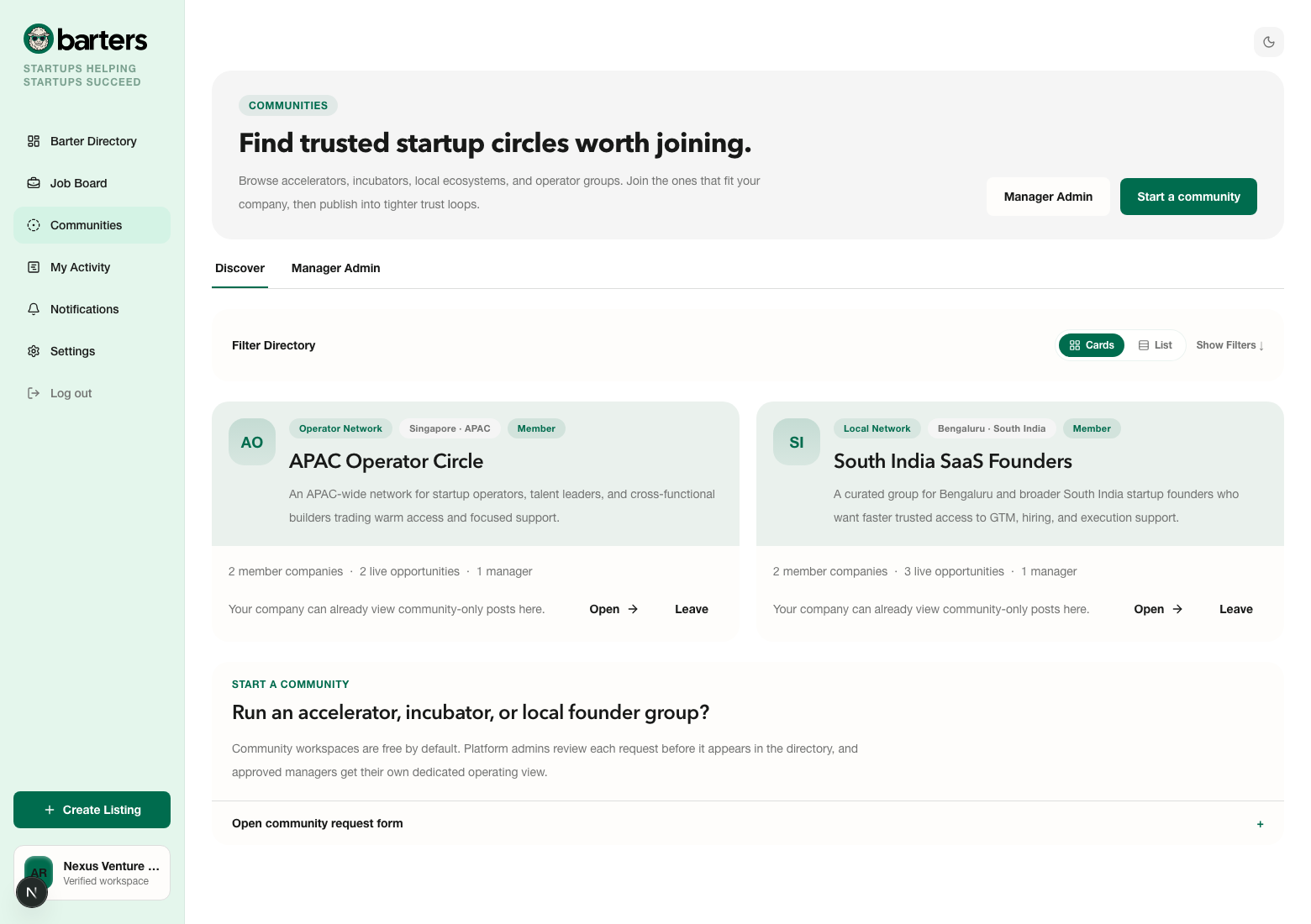
- 1Browse the communities directory to find groups that match your geography, operator network, or startup circle.
- 2Open a community profile to understand what it is for, who it serves, and whether your company should request access.
- 3If approved, your company gains access to that community’s restricted listings and can also publish its own barter or job posts to that group only.
- 4Community owners can use Start a Community to request an incubator, accelerator, operator, or local-network space. Platform admin approval happens before the community becomes discoverable.
- 5Member-only listings are useful for private cohorts, portfolio companies, city networks, and operator groups where context matters more than broad reach.
User Tip
Communities are most useful when the request benefits from context, shared geography, or operator trust. Use them when you want reach that is narrower but stronger.
What Happens Next
Once your company is approved inside a community, you can target community-only barter requests and job posts to that audience during creation.
Barter Legalities And Compliance
Accepted barter matches still need tax, invoicing, and record-keeping discipline.
Use these checks as soon as a barter bid is accepted and the two companies are preparing to begin delivery.
How It Works
- 1Barter is not automatically tax-free just because the two companies are exchanging services instead of cash.
- 2Matched companies should agree on the Fair Market Value of the work being exchanged and use that as the commercial basis for the transaction.
- 3Invoicing and record-keeping still matter. Each company may need to raise standard invoices or equivalent accounting records depending on the jurisdiction.
- 4Jurisdiction rules vary, so the exact tax reporting mechanics depend on where the companies operate and what local regime applies.
- 5Before work starts, review the post-match checklist and confirm the commercial terms with your finance or legal advisor where needed.
User Tip
Barters helps companies find each other, but each accepted barter is still a real B2B transaction. Treat it that way from day one.
What Happens Next
Once a barter match is accepted, both companies should align on scope, fair market value, invoicing, and the record-keeping path before work begins.
Billing And Plans
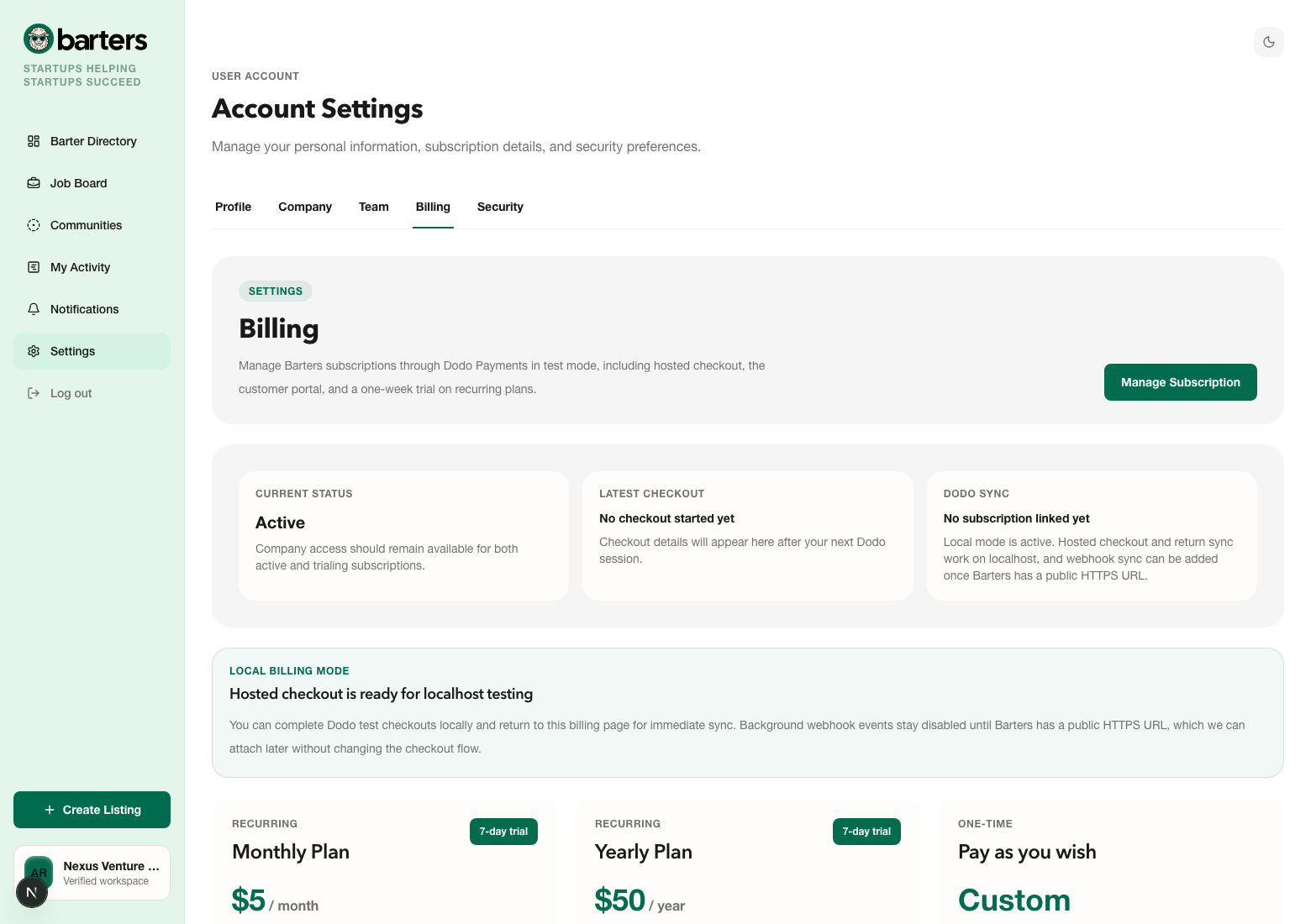
Billing is handled through a hosted checkout so users do not manage payments inside listing flows.
Use billing when you are ready to start a workspace subscription, review plan status, or open the customer portal for ongoing subscription management.
How It Works
- 1Finish onboarding and start the Barters-owned 7-day free trial without entering a payment method.
- 2Open Settings → Billing any time later to choose the recurring workspace plan that should power the workspace after trial: $5/mo or $50/yr.
- 3Complete checkout in the hosted Dodo flow and return to Barters, where the billing page reflects the latest sync state.
- 4Use Pay what you wish only when you want to support the platform separately. It does not activate, extend, or replace the recurring workspace subscription.
User Tip
The 7-day free trial is your no-card entry point. After that, the recurring workspace plan is either $5/mo or $50/yr. Optional support contributions stay separate.
What Happens Next
After checkout, Barters syncs your billing state back into the workspace so your company can manage plans from the billing page and portal.
Activity And Notifications
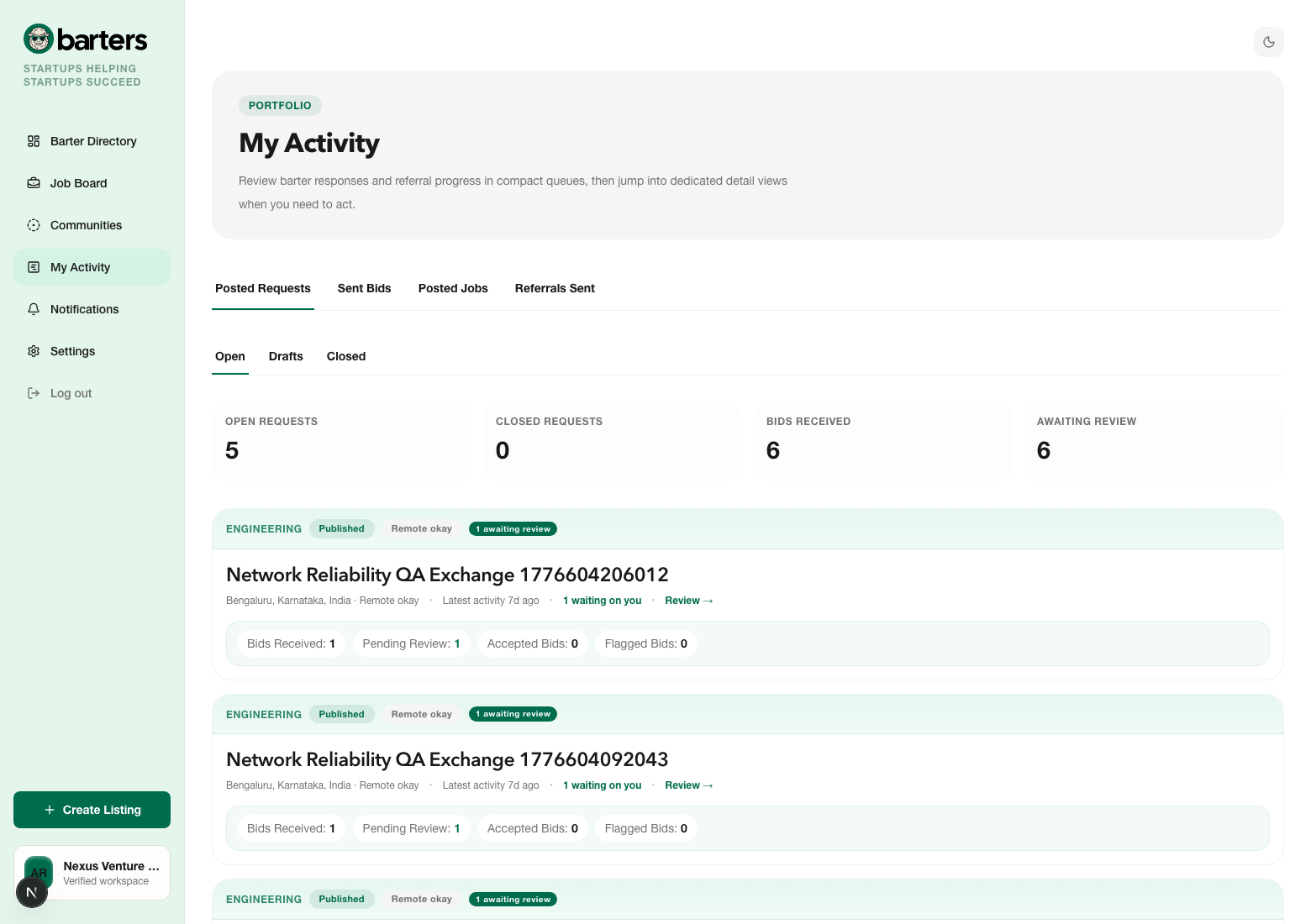
Activity and notifications keep the marketplace from turning into scattered follow-up work.
Use these pages after you are live in the network and need one place to track responses, decisions, and operational momentum.
How It Works
- 1Use My Activity to monitor the queues that matter: posted requests, bids sent, posted jobs, and referrals sent.
- 2Open the Notifications center for unread changes such as bid outcomes, referral status updates, community actions, invite events, and other workflow triggers.
- 3Treat these surfaces as your follow-up system. They are where you catch the handoff after a listing, bid, or referral has already been created.
User Tip
If you post often, the activity center is the fastest place to understand what is waiting on you versus what is waiting on someone else.
What Happens Next
As your company starts posting and responding, these surfaces become the daily command center for follow-up, approvals, and next actions.
Trust, Etiquette, And Practical Tips
Good marketplace etiquette makes the network better for everyone, including your own team.
Use these habits as your operating baseline once you start posting, bidding, referring, or joining communities regularly inside Barters.
How It Works
- 1Keep your company profile complete. Funding stage, website, LinkedIn, location, and a real company description all make counterparties more comfortable engaging quickly.
- 2Choose the right workflow. Use barter when you need a scoped exchange of capability, use jobs when you are hiring, and use communities when the right audience matters more than the biggest audience.
- 3Write titles and summaries for speed. Another team should understand the need, the offer, and the likely fit in under thirty seconds.
- 4Reply quickly and update statuses. Accept, decline, close, archive, or move referrals forward as soon as a decision is clear so your workspace does not accumulate stale queues.
- 5Use community-only visibility deliberately. It is best for context-sensitive requests where geography, operator trust, or startup network fit is more important than broad reach.
User Tip
What gets accepted most often is not flashy copy. It is clarity, credibility, and speed. A complete profile plus a specific ask beats a vague but polished listing almost every time.
What Happens Next
Teams that keep listings current, answer quickly, and close loops cleanly usually see better response quality over time than teams that leave requests vague or stale.
Ready To Use It?
Barters is strongest when your request is specific and your follow-up is fast.
If you are brand new, start with onboarding and your first listing. If you are already inside a workspace, open the marketplace, browse communities, or publish the next request your team needs help with.